Get Your Massage Studio Online
From zero to website, content, and booking system in about 30 minutes – with pre-filled data and AI-assisted setup.
Online in about 30 minutesMany details pre-filledFully editable anytime
Faster than you think
It may sound like a lot, but the process is simple and guided. Many details are automatically prepared – from images, Google Maps, flyers, or your own description.
Done in about 30 minutes
The guided flow is designed so you can complete everything essential in roughly half an hour.
Pre-filled content
Information is automatically generated from images, flyers, Google Maps, and your input.
Fully editable later
Nothing is final. You can review and adjust everything anytime after setup.
The process in 3 phases
1
2
3
Set up your studio
Enter the key basics about your studio.
Prepare content and design
The system creates an initial foundation for text, structure, and layout.
Review, refine, and go live
Check the results, add your team, and activate bookings.
1
Set up your studio
Enter the key basics about your studio.
2
Prepare content and design
The system creates an initial foundation for text, structure, and layout.
3
Review, refine, and go live
Check the results, add your team, and activate bookings.
Step by step
Here’s how your studio is set up and what information we prepare for your website, content, and booking system.

1Recommended: Automated
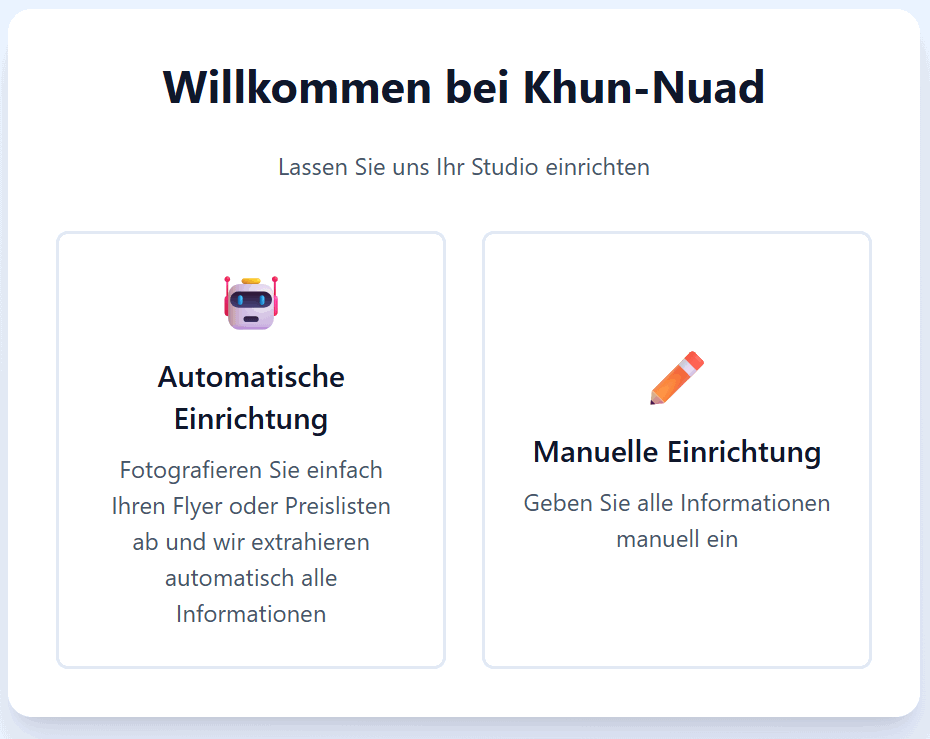
Choose how you want to start
Decide whether to set up your studio manually or use the faster automated option.
With the automated start, existing materials help pre-fill much of the information.
- Manual setup available
- Automated setup with pre-filled data
- Best with existing images or materials
2Optional
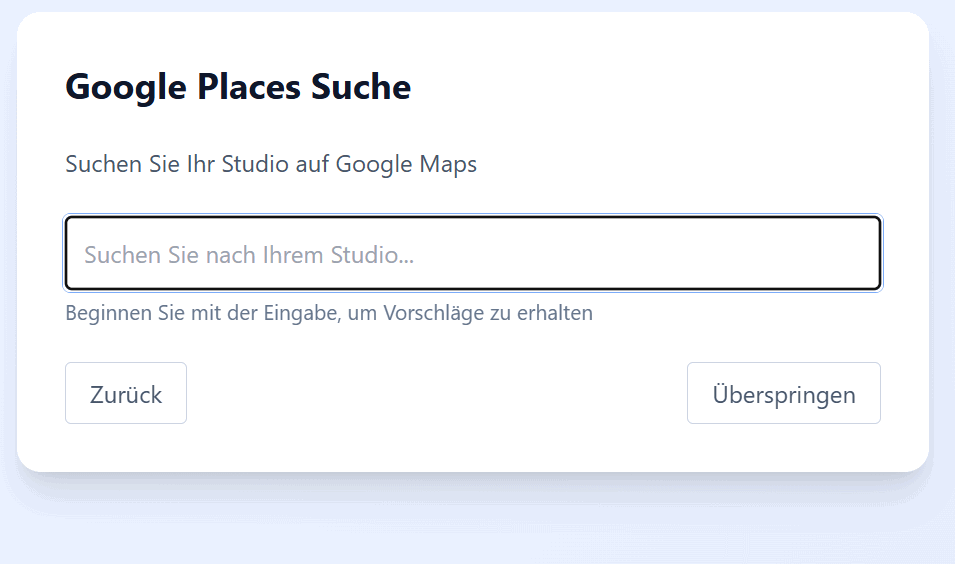
Upload images and connect your studio to Google Maps
If you choose the automated path, upload one or two images. You can also select your studio via Google Maps.
This allows existing information to be imported and prepared for the next steps.
- Upload 1–2 images
- Find your studio via Google Maps
- Easily import existing data
If you don’t have a Google Maps listing yet, you can simply skip this step.
3
Add your studio’s key information
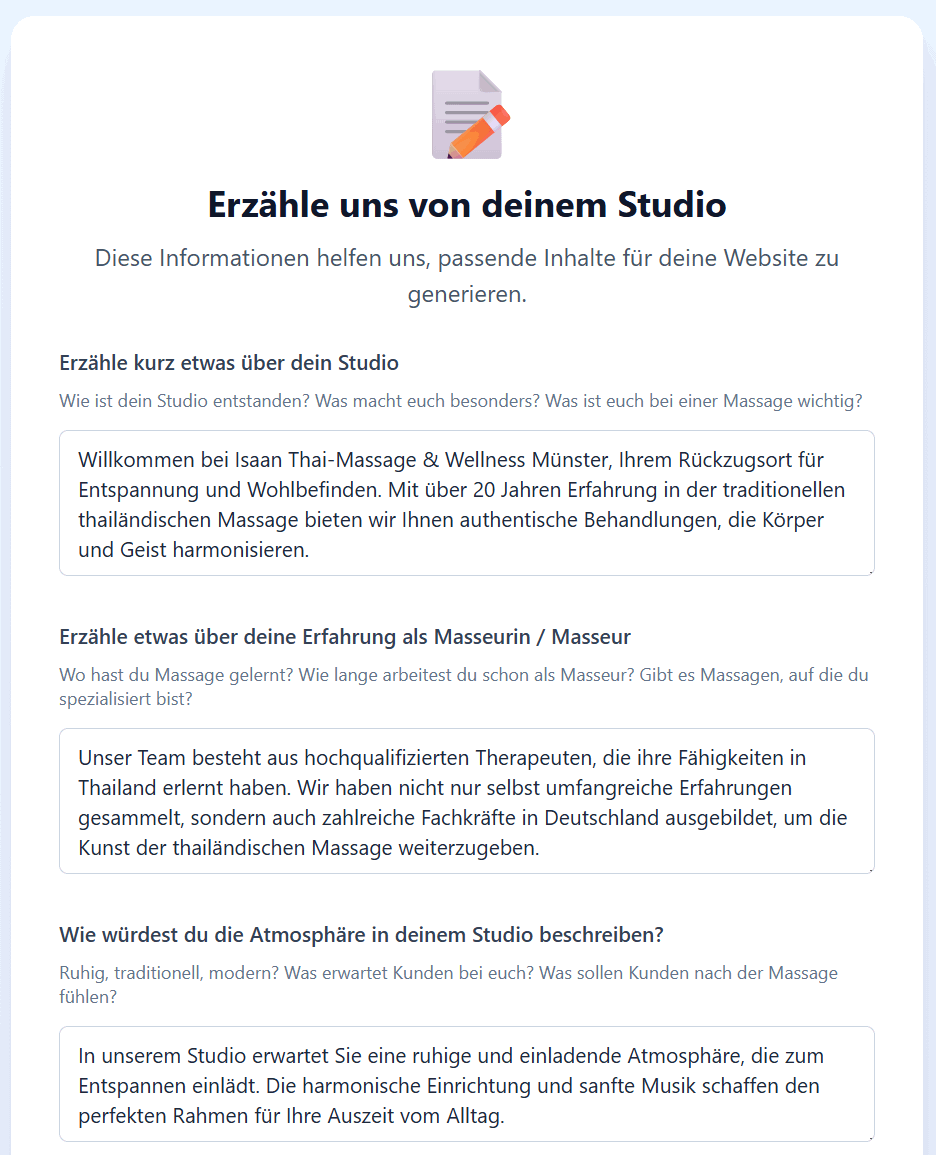
Enter the core details about your studio, including name, owner, description, address, and contact information.
The description is especially important—it forms the basis for suggestions, generated content, and helpful text throughout the process.
Besonders wichtig
Deine Beschreibung ist die Grundlage
You can write full sentences or just bullet points. Daraus entstehen spätere Vorschläge und vorbereitete Inhalte.
✦ If details are detected from images, flyers, or Google Maps, they’ll be pre-filled.
- Studio name
- Owner
- Description
- Address
- Phone, mobile number, and email
Your mobile number and email will also be used for login and MFA later.
4
Set your domain and access
Your studio gets a technical starter address right away. For a fast launch, we first set up a .massage-seite.de address. When you later choose the full version, we directly organise the .de domain included in your package.
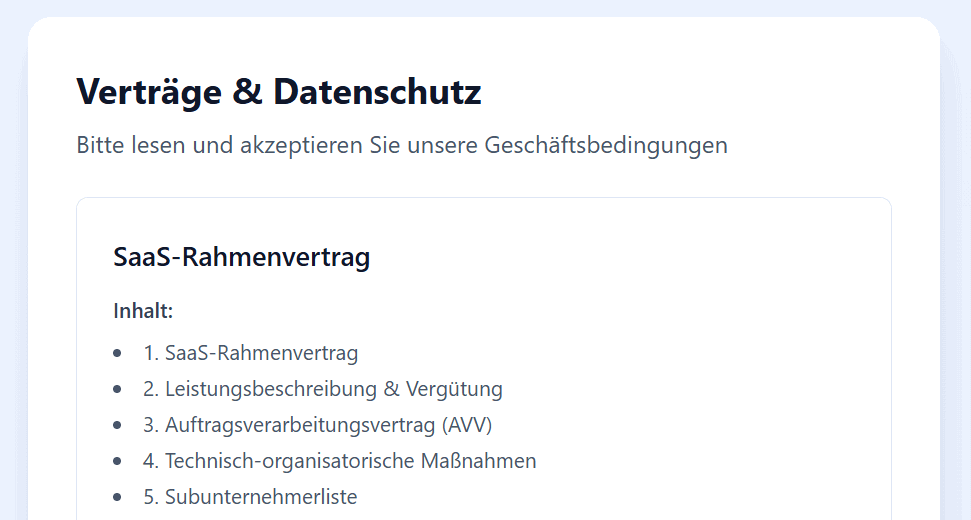
Then simply accept the terms and verify your email. Everything else runs automatically - the .de domain is organised once you decide to continue with the full version.
- Technical starter address on .massage-seite.de
- .de domain included
- .de domain organised with the full version
- Accept terms
- Verify email
5
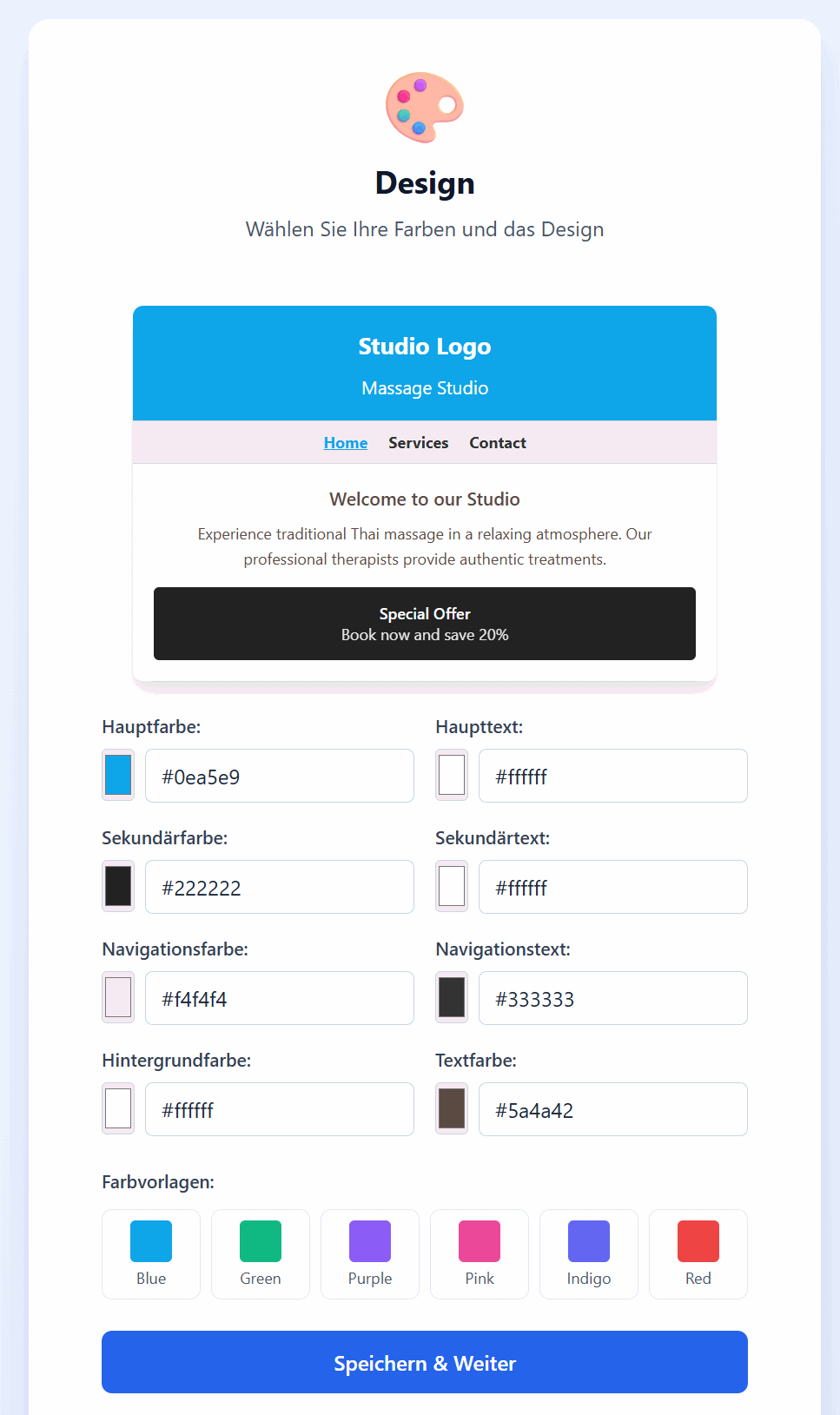
Design your studio’s first impression
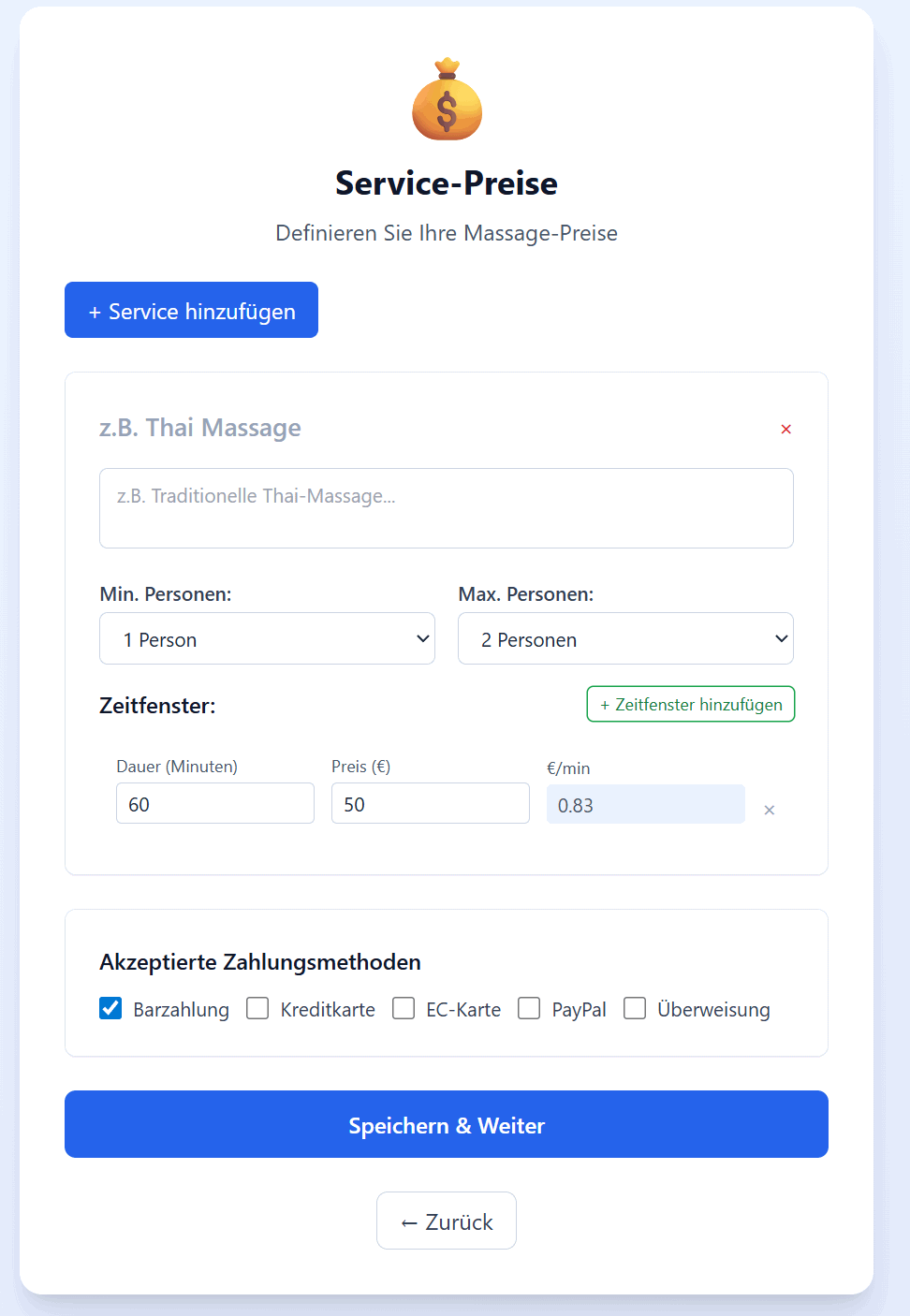
Opening hours, services, and prices are often already prepared – you just review and adjust them if needed.
Then define your design. Colors can be automatically extracted from images or flyers. You’ll see a live preview and can customize everything to your liking.
- Opening hours pre-filled
- Services and prices prepared
- Colors detected automatically
- Customizable design with preview
6
Describe what makes your studio unique
Answer a few final questions about your philosophy, highlights, location, parking, payment options, and more.
Many suggestions are already based on your earlier input – so you’re not starting from scratch. The more you’ve provided, the less you need to do here.
- Philosophy and unique features
- Location and accessibility
- Parking and payment options
- Automatic content and logo generation
Once you're done, we set everything up for you, generate content and even create an initial logo – no extra work required.
What happens next
Schritt 1
Access link via email
You’ll receive an email to set your password and log in.
Schritt 2
Review your content
Check the generated content, add images if needed, and publish your pages.
Schritt 3
Add your team
Create your team and assign services to each member.
Schritt 4
Activate booking
Once everything is ready, enable your booking system.
Schritt 5
Visible in Massage Finder
After going live, your studio can additionally appear in the Massage Finder directory. With active booking, your studio is directly bookable online there.
Get visible in Massage FinderWhy it only takes about 30 minutes
Pre-filled content
Information from images, flyers, Google Maps, and your input is prepared automatically.
No perfect text required
Bullet points are enough to generate high-quality content.
Guided process
You’re led step by step through the setup.
No technical knowledge needed
Easy to start and flexible to adjust later.
Frequently asked questions
No. Many details can be generated from images, flyers, Google Maps, or your description.
No. You can start fully manually. Existing materials simply help save time.
No. Bullet points or short sentences are enough.
Yes. Everything can be reviewed and updated anytime.
Usually around 30 minutes.
You receive an access link, review your content, add your team, and activate bookings.
Start now and get your studio online
Your ready-to-use website with content, design, and booking system in about 30 minutes.
Try free for 3 months • no automatic renewal • fully editable anytime